
How do I add lessons and videos to a course?
Published on: 03/11/2026
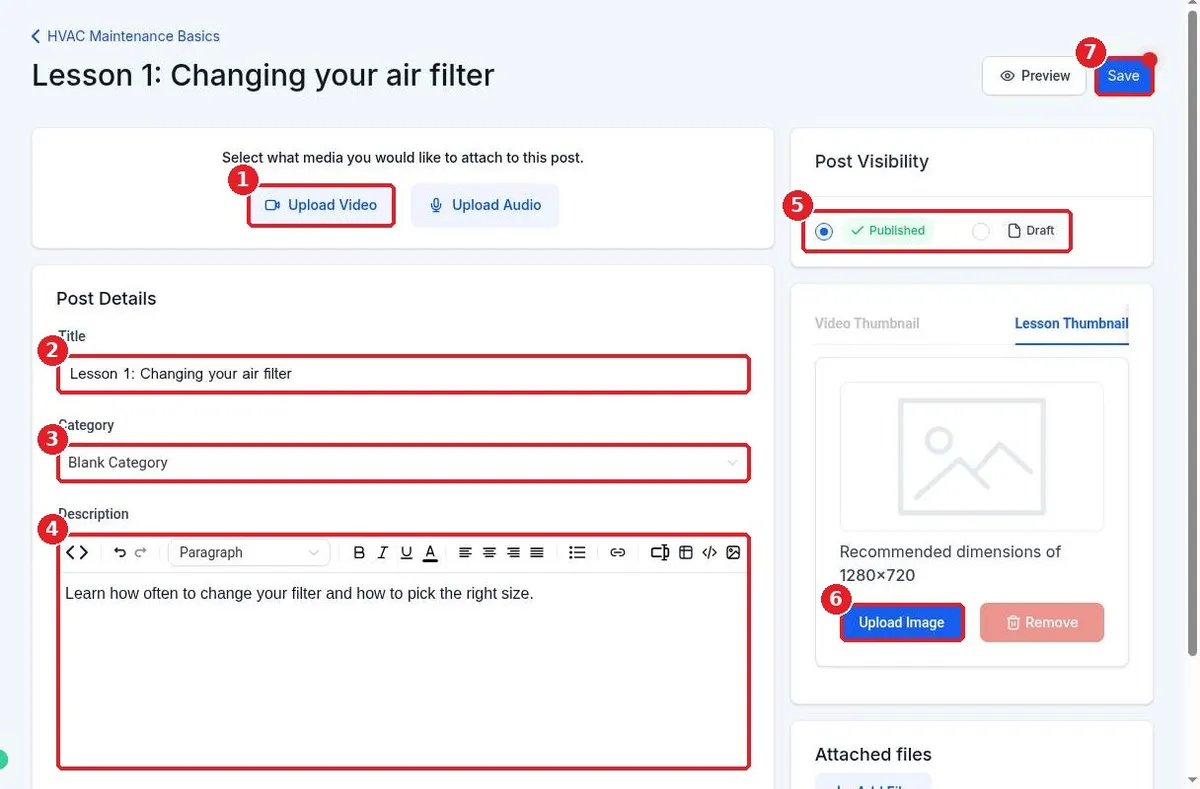
Add lessons and videos to a Reachific course: open the course Outline, click the plus next to a category, choose Add Lesson, enter the title and description, click Upload Video to add your video, then Save.
course lessonsvideo uploadmembershipshelp center